

Got Questions?
Uncover all you need to know about our premium online solutions. From eye-catching designs to flawless user experiences, we have the know-how to turn your digital dreams into reality.
How do I build a website with AI?
The DigitalEasy AI Website Builder makes building a website extremely easy, with the help of AI. It starts by walking you through a short on-boarding form, asking you for information about your company and/or website goals as well as your style preferences. Using your input, artificial intelligence then generates a complete website full of content unique to your business and launches a one-of-a-kind, professional, beautiful website within just a few minutes of you first logging in. Although your initial AI-generated website is a complete website, if/when you want to make changes or add to the website, you can use AI inside your DigitalEasy AI Web Builder to come up with more unique content and the DigitalEasy AI Image Generator to generate amazing, unique images for your website. Gone are the days of waiting for inspiration to write content for your website, or for nice weather and free time to take photos for your site.
Will my DigitalEasy.Cloud website be fast and secure?
Part of making DigitalEasy means giving you what you need without you having to even ask for it. How did we do this with your website? We start by launching your very own, dedicated, cloud instance, with dedicated server resources, providing you with your own dedicated IP address, and pre-install an SSL certificate to keep your site secure. Our standard website should be able to receive ~500k visitors per month without having performance issues. Above that, we make it easy to upgrade resources as much as your needs dictate.
Why is digital design crucial for my business?
Web design is vital for your business as it establishes your online presence and builds credibility. A well-crafted site can attract and engage visitors, highlight your offerings, and drive conversions, helping you stand out from competitors.
Is a responsive website necessary?
Absolutely, a responsive website is crucial in today’s mobile-centric world. It adjusts its layout for optimal viewing on all devices—desktops, tablets, and smartphones—ensuring your site looks and works great everywhere, enhancing user engagement. The DigitalEasy AI Website Builder generates all sites with a responsive design, making it mobile and tablet optimized out of the gate.
How long to build a website?
The time to build a website depends on design complexity, number of pages, features, and resources. Simple sites take weeks, while e-commerce ones take months. We ensure efficient, quality delivery with easy-to-use web building tools, A.I. assistance, and plenty of help. With your DigitalEasy AI Website Builder, A.I. will build your initial site in just minutes, full of content unique to your business, with a very professional and beautiful appearance. From there, you can edit and update the website at your convenience.
Bookmark Your “Site Assistant” Page
Immediately after finishing creating your new website with our Cloud WordPress AI Web Builder you will be brought to a Site Assistant page in WordPress account (which is also automatically created). Below is the example of what your “Site Assistant” page. We recommend bookmarking this page.

This page gives you tours and easy access to key actions you may want to take to update or make changes to your new website.
It is also the easiest place to access “site view” which is in the upper right.
If you use this bookmark, you will always land on this page when you access your site. If you do end up in your WordPress site dashboard, it is easy to get back to this page by clicking the link in the upper left side navigation of WordPress.
How To Easily Update Content On A Page
When logged into your WordPress site which you can access from your DigitalEasy.Cloud account, on your “Site Assistant” page, click “view site” in the upper right corner. Below is an example of what you should see. In the top black menu, click “edit page”. You can go in and edit copy as you wish, replace imagery by clicking on the image and in the top menu clicking replace. Follow the prompts. You can add new content blocks by simply clicking the + under an existing block of content.
How To Easily Update Content On A Page
Probably one of the most important marketing principles is to know your customer. You may not have a large dataset on your customers or any data at all for that matter, but at the bare minimum, think about what type of person(s) are likely to be your primary customer. Try to answer what is the value you are creating for that customer and/or what is the problem you are solving for that customer.
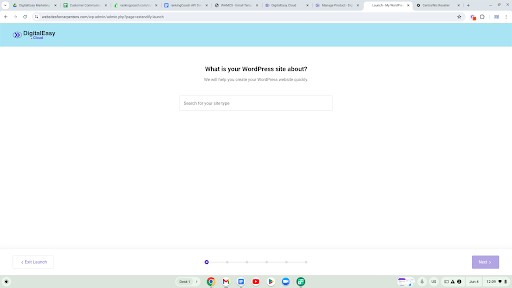
When you begin building your site, you don’t even need to think about the above because our Cloud WordPress AI Web Builder can do it all. However, during the process, which should take less than 10 minutes, you will be ask to give your website name which should be your company name. You will also be asked to give a description of your company. You don’t have to provide a description, but we recommend you at least describe what your business is about, what costomers you are targeting, what is your offer, any phone numbers or company addresses for contact purposes, and anything else that you feel better describes your business and brand. The Cloud WordPress AI Web Builder will take whatever you give it and build your site in minutes or less. The more you give it, the more likely your new site will match your vision. Again, this will only take a few minutes or so.
Contact Us
Reach Out to Our Digital Solutions Experts Today